

↓ Skip to main content
  1. Blog/

Setting up a global hotkey to add tasks to Outlook

·298 words·2 mins·
Diego Zamboni
Author
Diego Zamboni

One thing I missed since I moved from a Mac (using The Hit List for GTD) to Outlook (using Jello Dashboard for GTD) was the availability of a global hot key that I could use to bring up a text entry box which I could use to quickly add things into my electronic Inbox, for later processing.

I have found a way to achieve this, and here is the setup I am using now:

The first component is this PowerShell script written by Lee Holmes, which takes as arguments the title of the task to add, and adds it to Outlook. I saved it as Documents/Add-OutlookTask.ps1 in my home directory.

The second component is the ever-useful and amazing AutoHotkey. I added the following lines to my Documents/AutoHotKey.ahk file:

This snippet assigns Win-space to open an input box, and uses whatever is typed in it as the task title to the Add-OutlookTask script. The task will be placed without any categories in the task list, so it appears automatically the next time I open my Jello Dashboard inbox. Here it is in action:
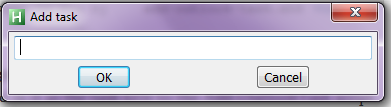
Addtask

I find this extremely useful, since I can press Win-space to add new tasks from any application, without having to switch to Outlook first. At some point I would like to explore the idea of making it smarter, like the quick-add keys in Things or THL for the Mac. This would include, for example, using some information from the currently-active application to prefill the task information. Examples would include using the subject line if an Outlook email is selected or the title of the current web page if a browser is open. Also nice would be to include any selected text automatically in the notes for the task, and maybe a link to the original item.


Overhauling my GTD system under Windows

·855 words·5 mins
As you may know, I'm a reluctant switcher from Mac to Windows. I am also a fan of GTD. I had been using Jello Dashboard (JD) to implement GTD under Outlook. JD is a very nice system, the developer is friendly and responsive, and I had even written several patches to adapt it to my way of working. I was even in the process of drafting a series of blog posts titled "My GTD under Outlook setup".

GTD Tip: one-key opening of INBOX notebook in OneNote

·151 words·1 min
One of the most useful applications I have discovered since I had to switch to Windows as my main OS is OneNote, a really great note-taking application which I use for pretty much every data-storing and note-taking need. I use a OneNote notebook as part of my GTD inbox. Today's very simple tip is how to assign a keystroke for opening my Inbox notebook from anywhere in the system. Here are the steps: Download and install AutoHotKey, if you don't have it already (it's a really useful free application, well worth exploring). Add the following line to your default AutoHotKey.ahk file (normally in ~/Documents/AutoHotKey.ahk):

Setting up my GTD system in Windows - links

·124 words·1 min
Since I started at my new job and moved to a new machine and OS, my old GTD setup has fallen by the wayside and I have found myself at a loss trying to keep track of things. I have found OneNote to be a very useful tool for keeping notes and reference material, and Outlook 2010 is actually not that bad as a task/calendar/email management tool.